Bemærk
Adgang til denne side kræver godkendelse. Du kan prøve at logge på eller ændre mapper.
Adgang til denne side kræver godkendelse. Du kan prøve at ændre mapper.
Tip
Microsoft Fabric Data Warehouse is an enterprise scale relational warehouse on a data lake foundation, with a future-ready architecture, built-in AI, and new features. If you're new to data warehousing, start with Fabric Data Warehouse. Existing dedicated SQL pool workloads can upgrade to Fabric to access new capabilities across data science, real-time analytics, and reporting.
In this article, you'll learn to create a new user-defined restore point for a dedicated SQL pool in Azure Synapse Analytics by using the Azure portal.
Create user-defined restore points through the Azure portal
User-defined restore points can also be created through Azure portal.
Sign in to your Azure portal account.
Navigate to the dedicated SQL pool that you want to create a restore point for.
Select Overview from the left pane, select + New restore point. If the New Restore Point button isn't enabled, make sure that the dedicated SQL pool isn't paused.

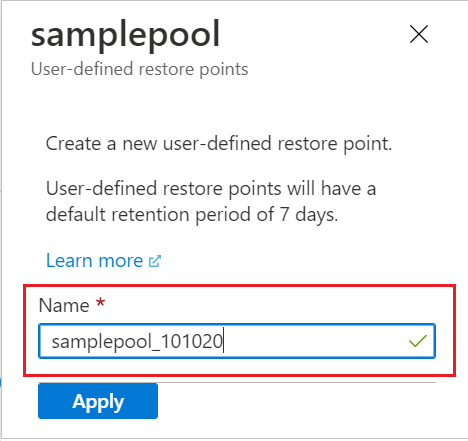
Specify a name for your user-defined restore point and select Apply. User-defined restore points have a default retention period of seven days.